The 15-Minute HVAC/R Takeoff: Drawings and Specs to BOM
Updated: Aug 22
The quote request lands in your inbox the way they always do: a contractor needs pricing, and attached are the engineering drawings and a spec book. Maybe forty or fifty pages of drawings. Maybe three hundred pages of specifications. Before you can quote anything, you have to answer basic questions that nothing in the email tells you: What equipment is actually in this project? How big is it? Which sections apply to you? When is the bid due?
So you start sifting. Scrolling through dense PDFs on a laptop screen, jumping between drawing sheets and spec sections, trying to build a mental map of a building you've never seen from documents that weren't written for you. There's no tool made for this part of the job — just a PDF reader, a second monitor if you're lucky, and time you don't have. And this is all before the real takeoff work even starts.
That setup phase — just getting the lay of the land — is where quoting time quietly disappears. Here's what an AI takeoff looks like when it doesn't have to.
Step 1: Upload the package
There's nothing to install — HyperQuote runs entirely in your browser. You take the drawing set and the specification documents exactly as the contractor sent them and get them into the platform one of two ways: upload them directly through the browser, or simply forward the email (with the attachments) into the HyperQuote platform.
That's the whole first step. No file prep, no splitting PDFs, no converting formats. The documents land in your secure cloud HyperQuote workspace, accessible only to you and your team — with full visibility into who's working on what, so two people never accidentally quote the same job twice.

Step 2: Let it process
Once the package is in, HyperQuote gets to work reading it — every drawing sheet, every spec section. Under the hood, computer vision and AI models trained specifically on engineering plans are reading the package the way an experienced estimator would: recognizing schedules, tags, and spec language across every page. It doesn't matter what shape the documents arrive in — clean vector PDFs, scanned sheets, mixed formats — everything gets digitized and turned into structured data you can actually work with.
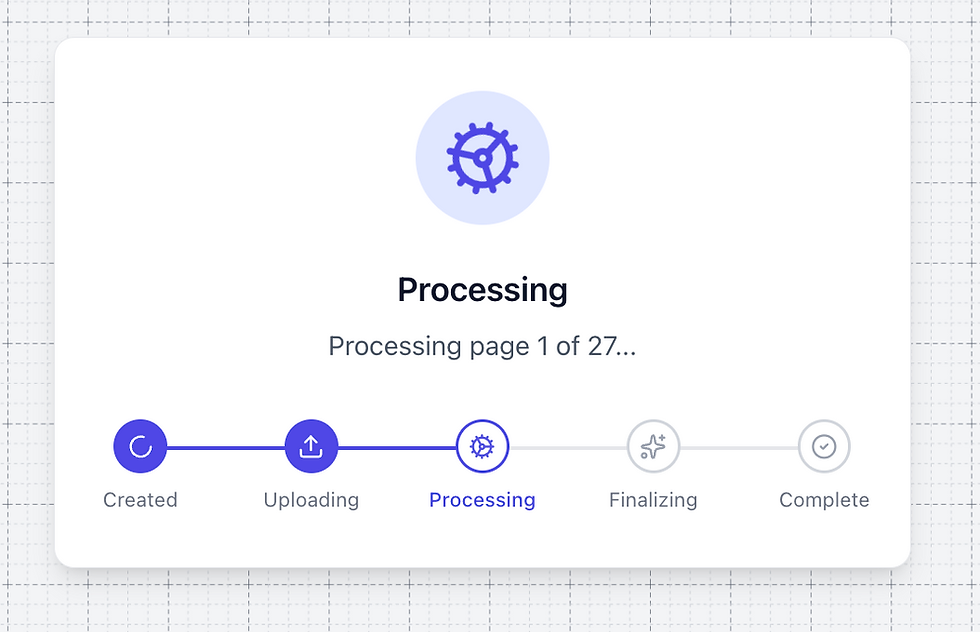
Processing a full package takes about five to ten minutes, and you don't have to watch it run. Go answer emails, take a call, start another quote. When the preliminary results are ready, you get a notification that the project is ready for review.
Ten minutes ago, this was a pile of unread PDFs. Now it's an organized project waiting for you.
Step 3: Review, don't count
Open the project and the first decision is yours: what part of this job do you actually want to quote? HyperQuote has already classified every piece of equipment as mechanical or plumbing, so whether you're doing a mechanical takeoff or a plumbing takeoff, one filter clears everything else out of view.

Behind the scenes, here's what happened while the package was processing: HyperQuote found every equipment schedule in the drawing set, digitized them, and then hunted down every matching equipment tag across all the drawings.

Say the job has ERVs — it found the ERV schedule, then found every ERV tagged on every sheet. Out of the box, 97%+ of equipment matches are found and counted correctly. (Schedule digitization and equipment matching are just two pieces of the platform — see the full breakdown on our features page.)
You should still review the matches — but notice what your job has become, you're not counting ERVs across fifty sheets anymore. You're looking at counts that already exist and confirming yes, that's an ERV. Verification, not takeoff. You tick a checkbox next to an entire equipment category, or next to individual line items if you want to go granular.

And here's the part that saves the next hour of your old workflow: the moment you check an item, it's automatically in your Bill of Materials (BOM). There's no separate counting step, no transferring tallies into a spreadsheet. Selecting is building the BOM.
Step 4: Your BOM is ready
By the time you've verified the equipment you want to quote, the Bill of Materials already exists. Every selected item is organized and ready to price — no retyping model numbers from schedules, no reconciling a notepad tally against a spreadsheet.
When you're ready to price it, the BOM goes wherever your quoting workflow lives: export it as a CSV, or copy the whole thing to your clipboard and paste it straight into your pricing spreadsheet or ERP. No re-keying, no formatting cleanup — the data arrives the way you need it.
Fifteen minutes. One browser tab. From "what's even in this project?" to a quote-ready BOM.

The math
The old way is hours of manual work — sifting, scrolling, counting, re-counting, keying it all into a spreadsheet. HyperQuote replaces that with a smooth fifteen-minute process, and the difference isn't just speed. It's the nature of the work: instead of hunting for equipment tags across a giant drawing set, you're verifying output that's already organized and counted for you. The tedious part is gone; the judgment part — the part that actually needs you — is all that's left. And of those fifteen minutes, only two or three are yours. The rest is the software working while you answer emails.
That difference compounds. If a takeoff costs half a day, you ration them — you quote the jobs you're confident about and let the rest pass. If a takeoff costs fifteen minutes, you quote everything worth quoting. Same team, same week, several times the bids out the door. The distributors who win more jobs aren't necessarily better at pricing — they're the ones who actually got a quote in.
And if you're already doing that math against what a seat costs: pricing is here. One extra won bid a month covers it.
See it on your own drawings
The walkthrough above was a real package run through HyperQuote's HVAC Takeoff software — not a demo file. The fastest way to believe the fifteen minutes is to watch it happen on one of your own projects — a drawing set and spec book you already know, so you can check the counts yourself.